Acer Laptop Touchpad not Working

Acer Laptop Touchpad Not Working?

Is your Acer laptop’s touchpad either not working or unresponsive? A non-working touchpad might be annoying, therefore influencing ease of use and output. PC Fix London is here to assist with hardware, driver conflict, or software bug. Our knowledgeable staff specializes in identifying and fixing Acer laptop touchpad problems to bring back seamless operation.

Common Problems with Acer Laptop Touchpads

There are various reasons a touchpad could be defective, including:

  • Unresponsive or frozen touchpad: The pointer does not move even with several efforts.
  • Touchpad not detecting taps or clicks:  Right and left clicks have no register.
  • Not working are multi-touch motions: Disabled are pinch-to–zoom, scrolling, or other movements.
  • Unpredictable cursor movement: The cursor jumps or moves unexpectedly.
  • Disabled touchpad: The touchpad may be turned off in settings or locked by a function key.
  • Driver or software conflicts: Outdated, missing, or corrupted drivers generating failures either by driver or program conflict.
  • Hardware damage: actual touchpad or internal component damage.

Fixing Acer Laptop Touchpad Problems

Try the following troubleshooting techniques before calling in expert repairs:

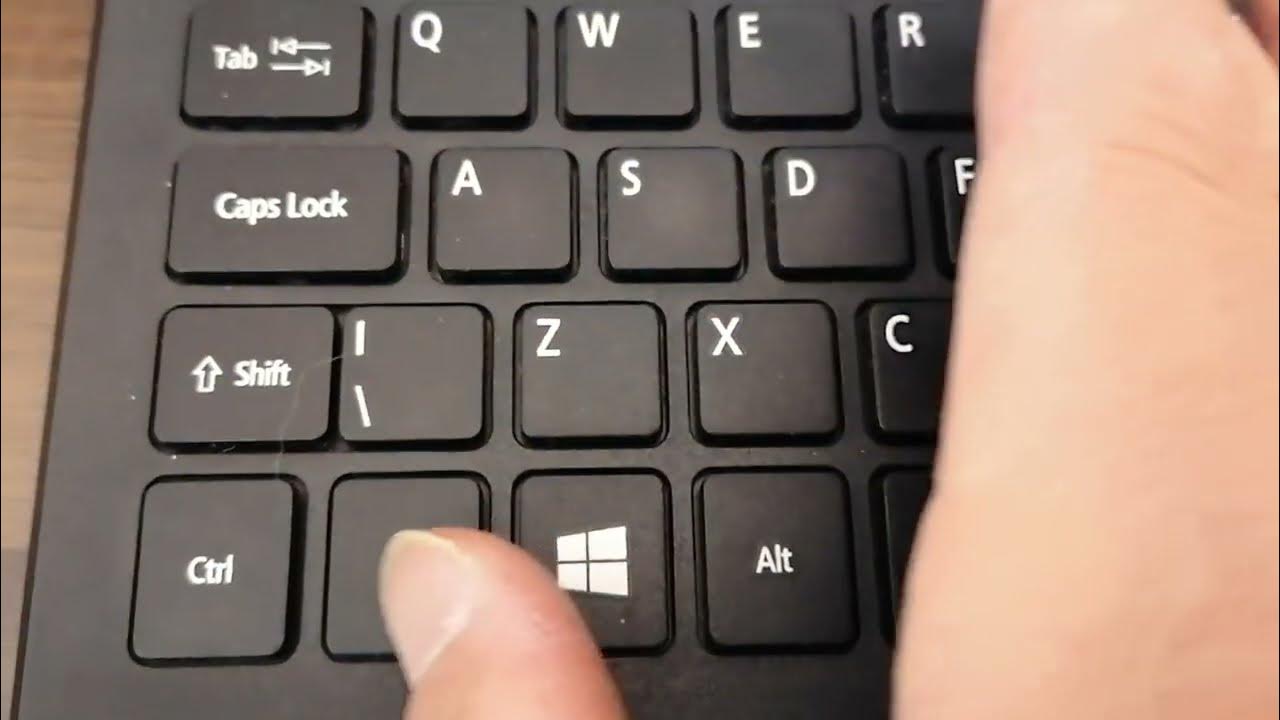
  • Enable the Touchpad – Turn on the Touchpad with Fn + F7 (or the assigned function key).
  • Restart Your Laptop –  Sometimes a basic reboot fixes temporary software problems.
  • Review the Touchpad Settings – Check it’s turned on by going to Settings > Devices > Touchpad.
  • Reinstall or update drivers – Touchpad drivers may be updated or reinstalled using Device Manager.
  • Perform a System Restore – rolling back changes can assist if the problem began following an upgrade.
  • Look for external mouse interference – occasionally the touchpad will be disabled by connecting an external mouse.
  • Search for malware – some of these infections can affect input devices.

Should these measures fail, it is advisable to consult a professional for repairs to avoid more problems.

How PC Fix London Might be Beneficial

Expert Acer laptop repair services are available at PC Fix London to guarantee fast and effective resolution of your touchpad problems. Our offerings cover:

  • Accurate Diagnosis: We investigate the touchpad issue holistically in order to find its source.
  • Driver and Software Fixes: Our staff reinstalls or updates required drivers to restore touchpad capability using driver and software fixes.
  • Hardware Repair & Replacement: Should the touchpad be physically damaged; we substitute authentic Acer components.
  • System optimization: its guarantees that a flawless user experience results from resolution of all software conflicts.
  • Same-day repair: Subject to component availability, we provide quick and dependable repair services same-day.
  • No Fix, No Fee Policy: Should we fail to resolve it, you pay nothing.

Why would you want PC Fix London?

  • Certified Technicians: Our knowledge of Acer laptop repairs is really broad.
  • Original Parts: We replace just original Acer parts.
  • Walk-in repairs: no appointment required; come see us any time for service.
  • Customer Satisfaction: Our first concerns are dependable repairs and high-quality work.

Get in touch with us.

Should your Acer laptop touchpad fail, avoid letting the problem slow you down? For skilled repairs, visit PC Fix London. For help, either email contact@pcfixlondon.com or call 020 7018 7490.

Fix Your Acer Laptop Today!

Whether it’s a little setting change or a significant hardware replacement, PC Fix London guarantees perfect functionality of your Acer laptop touchpad. Come see us now for dependable, expert repairs.

The fastest way we can assist customers is by bringing computers to our workshop, where technicians have the tools to diagnose faults accurately. After checks, if parts are found to be faulty or damaged, we proceed to replace them with high-quality original parts.

No appointments are required; you can drop off your computer at our workshop during working hours.

If you have more queries about our laptop repair and upgrade services, please feel free to contact us at 020 7018 7490 or email us at contact@pcfixlondon.com

Asus laptop black screen issue

Should your Asus laptop screen go black, it can be challenging to ascertain whether the problem stems from another internal issue or the display itself. Although a black screen can be brought on by several causes, the good news is that many of these problems can be fixed with the correct diagnostic and repair. Our knowledgeable experts are ready to assist at PC Fix London; we specialize in Asus laptop repairs. We discuss the typical reasons behind a black screen below as well as ways to have your laptop back running.

Common Reasons for Asus Laptop Black Screen

  • Display Problems: The motherboard’s connection to the display could be loose or damaged, or the screen may be physically broken.
  • Graphics Card or GPU Failure: Particularly if the laptop is still working but no image is shown, a failing graphics card or GPU may cause a blank or black screen.
  • Power Problems: Should your laptop not be getting power as expected, the screen can seem to be black even if the system is running.
  • Software Problems: Sometimes a botched operating system update that keeps the laptop from launching correctly or software problems could cause the black screen.
  • Backlight Failure: Should the backlight of the screen fail, the laptop will seem black even if it is running.

Asus Black Screen Problems: Rapid Troubleshooting

Try a few troubleshooting techniques to help fix the black screen problem before calling for expert repair:

  • Check the brightness: Verify that the brightness is not adjusted to its lowest level.
  • External display checks: Connecting your laptop to an external monitor can help you to determine whether the problem is limited to the screen or connected to the graphics card or internal components.
  • Perform a hard reset: Turn off the power adapter and, if at all feasible, remove the battery; then, press and hold the power button for thirty seconds to reset the laptop.
  • Try safe mode: Press F8 (or the relevant key for your system) when the laptop starts to attempt booting it into safe mode if you can hear it running but the screen stays black.

Repair Services Designed for Asus Laptops

For Asus laptops with black screen problems, PC Fix London provides a whole spectrum of services:

  • Diagnosing the problem: Our experts will investigate thoroughly to ascertain whether the screen, graphics card, motherboard, or another component is the cause of the issue.
  • Screen replacements: Should the screen display be broken or malfunctioning, we will replace it with a real Asus screen, therefore returning your laptop to complete operation.
  • Graphics card or GPU repairs: Should the problem arise from a malfunctioning graphics card, we will either replace or fix it to guarantee correct image display on your laptop.
  • Backlight repair: Should the backlight of your laptop fail, we can replace it to revive the display.
  • System and software fixes: We will take care of any software-related problems, including failed updates or corrupted operating system files, therefore guaranteeing that your laptop starts up correctly.

Hardware Problems Possibly Leading to a Black Screen

Usually the cause of a black screen on your Asus laptop is hardware problems:

  • Display damage or loose connections: A black screen could arise from physical screen damage or a loose cable connection between the motherboard and the screen.
  • Graphics card failure: Should a graphics card be broken or faulty, the screen will stay dark.
  • Broken backlight: Should the backlight malfunction, the screen may seem black even while the laptop is still running.

Asus laptop black screen resulting from software problems

Sometimes the black screen could be brought on by software issues:

  • Operating system corruption: The screen may remain black should the operating system of your laptop corrupt or fail to load correctly.
  • Driver issues: Problems with the graphics output of your laptop can arise from a corrupted or obsolete display driver, therefore producing a blank screen.

Why Choose Us for Repair of Asus Laptop Screens?

  • Expert technicians: Our knowledgeable staff specializes in identifying and fixing any kind of screen problem for Asus computers.
  • Original components: To guarantee your laptop screen operates just as it did when it was new, we utilize original Asus replacement components.
  • There is no appointment: you can come in for same-day repairs, subject to part availability, therefore avoiding significant wait times to get your laptop returned.
  • No fix, no price policy: Should the black screen problem remain unresolved, you will not pay a cent for the service.
  • Fast turnaround: We value fast repairs to save downtime since we know how vital your laptop is. Its subject to parts availability.

More Services for Asus Laptops

We provide other services for Asus computers that might be having problems in addition to screen repairs:

  • Data recovery: Should a hardware failure be the source of the black screen problem, we can assist with data recovery to enable you to access your critical information.
  • Graphics card replacement: Should the graphics card be the source of the issue, we can substitute a compatible and functional part.
  • Battery and power supply repairs: We also handle repairs for power problems that can be causing the black screen, including battery replacements and charger solutions.

Black Screen Problems and Overheating of an Asus laptop

Sometimes overheating results in blacking of the screen:

  • Thermal problems: Overwhelming heat within your laptop could cause hardware breakdowns like display or graphics card problems. To help keep overheating under control, we can change thermal paste and clear dust.
  • Fan repairs: Should the cooling system malfunction, your laptop can overheat and lead to screen or power problems? To guarantee correct cooling, we can either fix or replace malfunctioning fans.

Conclusion:

Should your Asus laptop screen be black, not cause for alarm; PC Fix London is here to assist. Our knowledgeable staff will rapidly identify the source of the problem and offer the best repair recommendation. We will fix your laptop to run as normal regardless of the basic screen replacement, graphics card repair, or software problem.

Please note that the guideline instructions provided may not always apply to the symptoms your computer is experiencing. Sometimes, symptoms or behavior can be the same, but the underlying reason or fault can be completely different.

The fastest way we can assist customers is by bringing computers to our workshop, where technicians have the tools to diagnose faults accurately. After checks, if parts are found to be faulty or damaged, we proceed to replace them with high-quality original parts.

No appointments are required; you can drop off your computer at our workshop during working hours.

If you have more queries about our laptop repair and upgrade services, please feel free to contact us at 020 7018 7490 or email us at contact@pcfixlondon.com
Acer Laptop Black Screen Issue

If your Acer laptop seems to be on but nothing shows, a black screen can be alarming. Whether the problem is hardware, software, or something else, knowing the possible reasons will enable you to act appropriately. Our area of expertise at PC Fix London is black screen problem diagnosis and repair of Acer laptops. This is a list of possible causes for your laptop’s display problems together with ideas on how we could help to fix them.

Typical Reasons behind Acer Laptop Screen Blackness

  • Display Issues: The most often occurring reason of a black screen is a defective display. The monitor not showing anything could be a damaged screen, loose connection, or malfunctioning graphics card.
  • Power or Battery Problems: Though the laptop itself is technically turned on, if it is not properly powered it may present a dark screen.
  • Internal Hardware Failures: The screen of your Acer laptop can stay black from a failing graphics card or motherboard. Furthermore, preventing the display from going on could be other internal hardware problems.
  • Software Issues or Corrupted Operating System: A black screen results from a laptop failing at start-up caused by corrupted system files, program conflicts, or failed upgrades.
  • External Monitor Interference: Should your laptop be inadvertently set to show on an external monitor or projector, the internal screen can stay black.

Troubleshooting Black Screen of Your Acer Laptop

Try the following troubleshooting techniques to find the source before consulting experts:

  • Check the power: Make sure the laptop is either totally charged or hooked to a power source. Remove the battery (if removable) then hold the power button for thirty seconds to try a hard reset.
  • Connect to an external monitor: If your laptop screen stays dark, connect it to an external display to ascertain whether the machine is really running.
  • Check for external monitor settings: Verify the laptop’s external monitor settings to be sure it isn’t running video to an external monitor. Flip the display mode with keyboard shortcuts (e.g., Fn + F5).
  • Remove external devices: Unplug any external devices—including USB drives, external keyboards, and mice. These gadgets occasionally may interfere with the boot-up mechanism.

Repairing Acer Laptops Black Screen: Services We Provide

Expert repair for Acer laptops with black screen problems is what PC Fix London offers. Our qualified experts will:

  • Diagnose the root cause: Using cutting-edge diagnostic technologies, we will ascertain whether the problem resides with the screen, graphics card, motherboard, or software.
  • Replace broken components: Should the display suffer damage; we will replace it with an original Acer screen. Should the issue be internal—that of a broken motherboard or graphics card—we will substitute original parts.
  • Address software issues: If corrupted system files or software is stopping your Acer laptop from starting correctly, we can fix the operating system and restore its functionality.

Acer Laptop Black Screen Result of Hardware Failure

Typical causes of black screen problems in Acer laptops are hardware failures:

  • Damaged display or cables: Should the screen be cracked, broken, or display cable or connection malfunction, the screen may remain dark even on a laptop that is turned on.
  • Graphics card failure: A failing graphics card would cause your laptop to show nothing on the screen, thereby producing a black screen.
  • Motherboard failure: Should the motherboard be destroyed or feature defective components, your laptop will not show anything on the screen.

Acer Laptop Black Screen Result of System or Software Problems

Sometimes issues connected to software generate a black screen:

  • Corrupted operating system: Should system files be corrupted or an update fail, the laptop could not be able to load correctly, resulting in a dark screen.
  • BIOS issues: A blank screen results from a malfunctioning BIOS either from corruption or improper configuration of the laptop.

Why Would You Want Us to Repair Your Acer Laptop Screen?

  • Expert technicians: Certified experts in Acer laptop repairs have a great deal of knowledge guaranteeing a quick and accurate diagnosis.
  • Genuine Acer parts: Only original Acer parts are used for any replacements, therefore guaranteeing that the internal components or display of your laptop runs as it should.
  • No appointment needed: There is no appointment; we welcome walk-ins and provide same-day repairs (subject to part availability).
  • No fix, no fee policy: There is no fee policy or fix; should we be unable to fix your laptop; you will not pay anything for our work.
  • Quick turnaround: We give swift service high priority, trying to finish repairs as soon as feasible so you can resume using your laptop and subject to parts availability.

Other Services for Acer Laptops

For your Acer laptop, we provide a great spectrum of extra services including:

  • Screen replacements: Should the screen of your Acer laptop be cracked or damaged, we are able to replace it with a legitimate Acer display.
  • Data recovery: Should a hardware issue cause the laptop’s screen to be black, we provide data recovery services to enable you to access critical files.
  • Laptop upgrades: Does RAM or storage call for it? We can make your Acer laptop more performing by upgrading it.

Acer laptop overheating and display issues

Sometimes black screen problems in Acer laptops result from overheating:

  • Overheating causing black screen: Black screens could result from system problems brought on by overheating the laptop. We can locate and fix problems with cooling systems.
  • Thermal paste replacement: If the thermal paste on the CPU of your laptop is old or dried up, overheating may result from which the screen can darken. We can increase cooling efficiency by using different thermal paste.

Conclusion:

Though it can undoubtedly be annoying, a black screen on your Acer laptop does not usually indicate a serious problem. PC Fix London is here to assist with anything from software problems to internal hardware faults to damaged displays. Our knowledgeable staff can rapidly identify and fix the issue, therefore restoring the working capability of your laptop.

Please note that the guideline instructions provided may not always apply to the symptoms your computer is experiencing. Sometimes, symptoms or behavior can be the same, but the underlying reason or fault can be completely different.

The fastest way we can assist customers is by bringing computers to our workshop, where technicians have the tools to diagnose faults accurately. After checks, if parts are found to be faulty or damaged, we proceed to replace them with high-quality original parts.

No appointments are required; you can drop off your computer at our workshop during working hours.

If you have more queries about our laptop repair and upgrade services, please feel free to contact us at 020 7018 7490 or email us at contact@pcfixlondon.com
Dell laptop black screen issue

Especially if your Dell laptop seems to be working but nothing displays on the monitor, a black screen can be annoying. Hardware or software faults are just one of the several causes of this issue. Our specialty at PC Fix London is identifying and resolving problems with Dell laptop screens. We list the typical reasons a black screen results from below along with how fast our knowledgeable staff can fix it.

Typical Causes of Black Dell Laptop Screen

  • Power Issues: Sometimes the laptop might not be getting enough power, which would cause the device to be officially on yet have a dark screen.
  • Display Connection Problem: The screen may go dark from a loose or damaged cable, connector, or display panel itself.
  • Graphic Card Failure: A failing graphics card can cause the laptop to show nothing at all, hence producing a black screen.
  • Backlight Issue: Should the backlight of the screen fail, the screen can seem black even if the laptop is still running.
  • Corrupted OS or Software: Operating system or software corruption could cause the laptop to halt at the boot process, blacking the screen. This might result from a failed update or corruption of the operating system itself.

What should you consider when your Dell laptop screen blackens?

You can troubleshoot a few basic things before visiting a repair service to help you identify the problem:

  • Check the power supply: Make sure your laptop is either correctly connected to a power source or charged. At times the battery can be insufficient to run the screen.
  • External Display: Try connecting your laptop to an external monitor or TV via HDMI or VGA to find out whether the problem resides with the internal hardware or screen.
  • Keyboard Shortcuts: On some devices, pressing the “Fn” key with a function key—such as F8—can turn between several display modes. Try varying this to see whether it fixes the problem.
  • Restart the laptop: To hard reset the laptop, hold the power button for ten to fifteen seconds. Sometimes this fixes little software problems.

Repairing Dell Laptops: Services We Provide

PC Fix London offers complete services to fix and restore the screen of your Dell laptop. Our trained experts will:

  • Diagnose the issue: Ensuring a correct diagnosis, we will determine whether the battery, display hardware, graphics card, or software is the cause of the problem.
  • Repair or replace faulty parts: Should the screen or display components be broken, we will replace them with original Dell components to bring back the display of your laptop.
  • Resolve Software Conflicts: Fix program conflicts: Should a software problem create the black screen; we can recover system files or fix the operating system to have your laptop performing as it should once more.

Typical Hardware Issues Bringing About a Black Screen

Your Dell laptop may show a black screen for several hardware-related problems:

  • Loose or damaged display cables: Internal connections between the motherboard and the screen can wear out or get detached, therefore producing a black display from either loose or damaged display cables.
  • Graphics card failure: Should the graphics card of the laptop fail, the display may not perform as intended.
  • Broken screen or LCD panel: A black screen can follow from physical damage to the screen. This could call for cracked, pressured-marked, or faulty pixels.

Dell laptop black screen resulting from software problems

Should the problem not have anything to do with hardware, the blank screen can result from:

  • Corrupted operating system files: Should system data corrupt after a Windows update or power outage, the laptop may not be able to correctly boot, resulting in a blank screen.
  • BIOS issues: Boot problems arising from a faulty BIOS (Basic Input Output System) or a failed BIOS update will provide a black screen during starting.

Why would you want us to repair your Dell laptop screen?

  • Skilled technicians: Our knowledgeable experts can identify and resolve screen problems on every Dell laptop model.
  • Genuine Dell parts: For screen repairs, we exclusively utilize original Dell components to guarantee premium, long-lasting results.
  • No appointment needed: Walk-in repairs are accepted and, subject to part availability, we provide same-day repairs without an appointment.
  • No fix, no fee policy: Should we be unable to address the black screen problem, you will not be paid for the repair service. No fix, no price policy.
  • Quick turnaround: Our quick turnaround goal is to minimize downtime and get you back to work right away based on the parts availability.

Additional Services for Dell Laptops

Apart from screen repairs, we also provide a spectrum of other services to improve or recover the functionality of your Dell laptop:

  • Screen replacement: Should your laptop screen be broken, damaged, or malfunctioning, we may replace it with a new, original Dell display.
  • Graphics card replacement: Should the graphics card prove to be the source of the problem; we can replace it to guarantee correct visual display on your laptop.
  • Data recovery: Should the black screen prevent access to your files, we can help with data recovery to regain your critical data.
  • System restoration or OS reinstallation: We can restore your laptop to factory settings, reinstall Windows, or rectify corrupted running systems.

Avoiding Black Screen Problems

Think about these ideas to avoid black screen problems on your Dell laptop going forward:

  • Keep the laptop updated: Frequent operating system and driver updates help to avoid compatibility issues that can cause display problems.
  • Handle your laptop carefully: Take great care with your laptop; avoid dropping or mistreating it to damage the internal components or screen.
  • Monitor temperature: Track temperature: Make sure your laptop does not overheat since hardware failures—including screen problems—can result from this.

Conclusion:

Although there are several reasons why your Dell laptop may show black on a screen, PC Fix London is here to assist. Our knowledgeable staff can quickly identify and fix the screen, graphics card, or software depending on the issue.

Please note that the guideline instructions provided may not always apply to the symptoms your computer is experiencing. Sometimes, symptoms or behavior can be the same, but the underlying reason or fault can be completely different.

The fastest way we can assist customers is by bringing computers to our workshop, where technicians have the tools to diagnose faults accurately. After checks, if parts are found to be faulty or damaged, we proceed to replace them with high-quality original parts.

No appointments are required; you can drop off your computer at our workshop during working hours.

If you have more queries about our laptop repair and upgrade services, please feel free to contact us at 020 7018 7490 or email us at contact@pcfixlondon.com
hp laptop screen repair

Regardless of how gently you use your laptop, a user generally faces a lot of problems while working on a laptop. Many types of errors may occur in your device, and they might be regarding your laptop’s hardware or software. The brand of your laptop doesn’t even matter that much. Some of the common problems like processing, assembly, configuration, or black screen may occur in any brand.

Determine faulty screen issue:

Most HP laptop users face black screen problems whenever they turn it on or suddenly while working on it. There can be many reasons that can cause a black screen in your laptop. Sometimes it can be hard to find the exact reason for the cause. But the most common cause of arising this issue is any fault in the hardware, GPU’s loose connections or having the bad cables and ports may result in black screen.

If having faulty hardware is not the issue, the problem must be in the laptop’s software, such as any corrupted software. Attaching an external screen can be an experiment to determine the cause of the problem from the display or the GPU. You have to connect an HDTV with your HP laptop with its suitable connectivity cable. The same screen will reflect on your HDTV too. Observe that if the same black screen is appearing on your HDTV or not.

If the black screen doesn’t appear on the HDTV, it clarifies that the problem is with your display. And if the black screen appears on the second screen, it means that your graphic card is at fault. Yet both are considered hardware issues. Without having sufficient knowledge to fix it, if you do so, this may cause multiple problems in your device, including horizontal lines. The solutions given below may help you provide an easy fix for your HP laptop’s black screen.

Typical reasons for HP laptop black screen:

  • Problems with display: A broken or damaged display could keep the screen black even when the laptop is turned on.
  • Graphics Card Problems: A failing graphics card or video driver could cause a black screen if the system cannot properly show the output.
  • Battery or Power Supply Issues: Should the battery or power source of the laptop malfunction, it may lead to a power-related issue rendering the display unable to turn on.
  • Overheating: Excessive heat can cause hardware faults including problems with the display or motherboard, therefore producing a blank screen.
  • Software Glitches or Corruption: Operating system files corrupted or a failing system update can cause the laptop to freeze on a black screen during boot-up.
  • Loose or Disconnected Cables: The screen may seem black if the motherboard’s internal or display cable connection is loose or disconnected.

Tips to fix Black Screen appearing on your HP laptop:

Note: If you cannot log in to your laptop’s Windows, you always need to first boot your laptop in safe mode before applying these solutions.

Solution 1: Reset your laptop

Faulty hardware can be the reason for your laptop’s black screen. To determine and rectify the issue, you should disconnect any third-party hardware device if connected and follow the steps: –

  • Turn off the system
  • Now cut the power and remove any hard drive and battery or any attached external device.
  • Press the power button and hold it for at least 1 minute. After this, release the button.
  • After this process, only put the battery and pug inside the charger and nothing else.
  • At last, boot your laptop and see if it rectified the issue.

If this solution provides you with an effective result, then you got your fix for the problem. Suppose the black screen on your HP laptop is still present. Don’t panic or need to worry, and we have other solutions on the way for you.

Solution 2: Restart the Explorer

If suddenly your explorer has been closed, which might be due to a virus, the laptop display probably goes to a black screen. Explorer.exe would handle most of the process of the desktop, taskbar, and many more if any fault occurred in your laptop regarding this problem. Your taskbar or desktop may become invisible and may turn the screen black. To overcome this problem, follow the steps given below: –

  • Firstly, open the task manager by pressing the Ctrl key along with shift and Esc on your keyboard.
  • If you are using Windows 7, go to the processes tab or click on the Details tab.
  • In the details tab, scroll downwards and find exe.
  • End explorer.exe process by selecting and clicking on the End task key.
  • At last, restart your laptop and check that the black screen issue is resolved or not.

Or, if you are not able to find the explorer.exe in your details tab, you can do it by yourself: –

  • In task manager itself, go on file and select run new task
  • Search for explorer.exe by typing it on the space given and press enter key.
  • The process will start running and make your screen normal.

Solution 3: Update Graphics card drive

Outdated version of your graphic card driver might result in sluggish performance and even the appearance of a black screen on a laptop. To avoid these problems, you have to keep your graphic card driver up to date and try to use the latest available version. You can update your graphic card driver in two ways, either manually or automatically.

If you have great computer commanding skills with a lot of time, you may prefer manual installation. But the risk percentage is more in choosing a manual option. As working manually, you have to recognize your system and a suitable driver for the laptop, and also, we have a risk of downloading or installing the wrong driver. To eliminate these risks, you should prefer for automatic option and follow the following steps: –

  • Download the “driver easy” application and install it. It automatically recognizes your system and finds the best driver for your laptop.
  • Now run the driver easy app and click on the scan button. The driver will scan and detect if any problem present.
  • Click on the update button at the bottom of the screen, which automatically downloads the best version of the driver for you.
  • After the updating process is done, restart your laptop, and now the black screen is resolved.

Solution 4: Disable Fast Start-up

When you disable your fast start-up option in your HP laptop. It might fix the black screen issue. Follow the steps given: –

  • Open the Control panel and click on the power option.
  • Click on Choose what power buttons do the key.
  • After that, click on Change settings that are currently unavailable.
  • Untick the Turn on fast start-up and at last click on Save changes.
  • Now restart your laptop, and the black screen issue is resolved.

Why should one choose us for HP laptop screen repairs?

  • Expert technicians: Our knowledgeable staff specializes in identifying and fixing black screen problems with HP computers, thereby guaranteeing a rapid and correct solution.
  • Original parts: To preserve the quality and lifetime of your device, we replace screens and other repairs with using original HP parts.
  • No appointment necessary: There is no appointment required; walk-in repairs are accepted and, subject to part availability, we provide same-day service.
  • No fix, no fee policy: Should the issue remain un-addressable, you will not be charged for the repair under no fix, no price policy.
  • Fast turnaround time: Our goal is to deliver quick repairs so you may resume using your laptop free from protracted delays. Its subject to parts availability.

Additional Services Regarding HP Laptops

Apart from resolving black screen problems, we provide further useful services for your HP laptop:

  • Screen replacement: Should your laptop screen be cracked, broken, or unresponsive, we may replace it with an original HP screen.
  • Data recovery: Should your laptop not turn on or the screen be blank, we provide data recovery services to help you access your critical data from the machine.
  • Laptop upgrades: To improve the speed and extend the lifetime of your laptop, we can change its RAM or storage.

HP laptop overheating and power problems:

Black displays among other hardware issues can result from overheating:

  • Overheating problems: Should your laptop overheat, internal component failure could result from which a black screen or total system failure results. We may fix these problems by fresh thermal paste application and cleaning the cooling system of your laptop.
  • Battery or power supply failures: Malfunctioning batteries or power adapters could cause a power outage, therefore impeding the display from operating as it should.

Conclusion:

Having the malfunctions caused in your HP laptop’s display may let you face many problems. Our HP laptop screen repair services cover all makes and models. If you find a minimal issue in your device, you can fix it by yourself, but if the damage occurred is extensive, it will be good for you to get the assistance of a professional.

Please note that the guideline instructions provided may not always apply to the symptoms your computer is experiencing. Sometimes, symptoms or behavior can be the same, but the underlying reason or fault can be completely different.

The fastest way we can assist customers is by bringing computers to our workshop, where technicians have the tools to diagnose faults accurately. After checks, if parts are found to be faulty or damaged, we proceed to replace them with high-quality original parts.

No appointments are required; you can drop off your computer at our workshop during working hours.

If you have more queries about our laptop repair and upgrade services, please feel free to contact us at 020 7018 7490 or email us at contact@pcfixlondon.com