
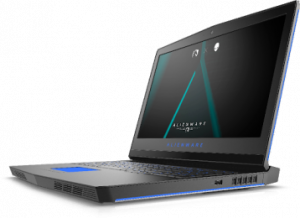
 PC Fix London repairs Alienware laptops on a same-day, walk-in basis from our London workshop, and by courier collection anywhere in the UK. We fix the faults Alienware owners run into most: overheating and random shutdowns, laptops that won’t turn on or won’t get past the logo screen, GPU and screen faults, and battery or charging issues. Every repair uses genuine Alienware/Dell-specification parts and is backed by a strict No-Fix-No-Fee guarantee. Call 020 7018 7490 for a same-day estimate.
Alienware overheating, won’t turn on, or crashing?
Call 020 7018 7490 — walk-ins welcome, no appointment needed.
The Most Common Alienware Laptop Faults We See
These are the issues Alienware owners bring in most often, in order of how frequently we see them:
- Overheating and random shutdowns: the single most reported Alienware issue. Usually caused by dust-blocked vents, dried-out thermal paste, or a failing fan — the system shuts itself down to protect the CPU and GPU.
- Won’t turn on, or stuck on the Alienware logo (no POST): often a memory, power delivery, or motherboard fault rather than a dead laptop.
- Battery not charging, or draining rapidly: can be a worn DC charging port, a failing battery, or a fault in the charging circuit itself.
- Screen artifacts — coloured lines, flickering, freezing then crashing: typically a GPU fault, damaged display cable, or failing panel, sometimes linked to overheating.
- Driver and software conflicts: common on gaming laptops running Alienware Command Center alongside frequent GPU driver updates.
- Fan noise and thermal throttling under load: FPS drops during gaming are frequently a cooling issue rather than a hardware failure.
Alienware Repair Services We Provide
Hardware repairs — diagnosed and repaired on-site using genuine Alienware/Dell-specification parts, never guesswork.
Software issues — Windows faults, Alienware Command Center conflicts, driver problems, malware and virus removal.
New laptop setup — configuration and full data transfer from your old machine to a new Alienware laptop.
- Screen repair and replacement
- Motherboard / logic board repair
- Overheating, dust removal and vent servicing
- Fan replacement and thermal paste repaste
- Liquid / water damage repair
- Hinge or lid not opening/closing correctly
- Malware, spyware and virus removal
- DC power jack and charging port repair
- Graphics card (GPU) and display faults
- RAM upgrade and replacement
- Data recovery and data transfer
- Touchpad repair and replacement
- Keyboard backlight repair
- Hard drive and SSD upgrade or replacement
- Keyboard repair and replacement
- Battery replacement
Alienware Laptop Models We Repair
- Alienware Area-51m Series
- Alienware Area-51m R2
- Alienware m17 Series (R2–R5)
- Alienware m18
- Alienware m16
- Alienware x16
- Alienware X17 R1
- Alienware 13 Series
- Alienware m15 Series (R2–R7)
- Alienware 15 R4
- Alienware Aurora Series
- Alienware Aurora R Series
- Alienware Aurora Ryzen Edition
- Older / out-of-warranty Alienware models
- Custom-spec Alienware builds
- Desktop and laptop ranges alike
How We Diagnose an Alienware Fault
Bring your laptop in with no appointment — a technician assesses it on the spot quick check. For overheating and shutdown faults, we check vent airflow, fan operation, and thermal paste condition first, since that resolves the majority of cases. For power and no-POST issues, we test the power delivery, RAM, and motherboard separately to isolate the actual fault before quoting. We’ve repaired over 2,500 Alienware laptops using this approach.
Why Choose PC Fix London for Alienware Repairs
- Certified technicians with over 15 years of experience on gaming hardware.
- Fast turnaround — same-day repairs for most faults, no appointment needed.
- No Fix, No Fee — if we can’t resolve it, you don’t pay for labour.
- Genuine parts, and all work guaranteed.
- Nationwide reach via UK courier collection, not just London walk-ins.
How Do I Get My Alienware Laptop Repaired?
Walk In — No Appointment Needed
Bring your Alienware laptop to our London workshop any time during working hours.
Courier Collection — Anywhere in the UK
Not near London? We arrange courier collection nationwide. Courier charges apply.
Get a Fixed-Price Alienware Repair Quote
Speak directly to the technician working on your laptop — no call centre, no hidden fees.
contact@pcfixlondon.com
PC Fix London — Alienware Repair Workshop
PC Fix London
Sinclair House, Thanet Street, King’s Cross, London WC1H 9PZ
Phone: 020 7018 7490
Email: contact@pcfixlondon.com
Opening Hours: Monday – Friday, 10am – 6pm
Frequently Asked Questions
Why does my Alienware laptop keep overheating or shutting down randomly?
This is the most common Alienware fault we see. It’s usually caused by dust-blocked vents, dried-out thermal paste, or a failing fan, which makes the system shut down to protect the CPU/GPU. A professional clean and repaste typically resolves it.
My Alienware won’t turn on or shows the logo then stops (no POST) — can it be fixed?
Yes, in most cases. A logo-then-freeze (no POST) is usually a memory, power delivery, or motherboard fault rather than a dead laptop. We diagnose the exact component before recommending any repair.
Why is my Alienware battery not charging?
Common causes are a worn DC charging port, a failed battery, or a fault on the charging circuit itself. We test each of these separately to identify the actual cause rather than replacing parts by guesswork.
My Alienware screen has coloured lines, flickering, or freezes then crashes — what’s wrong?
This is typically a graphics card (GPU) fault, a damaged display cable, or a failing panel. It can also point to overheating-related GPU stress. We run diagnostics to confirm which before quoting a repair.
How much does Alienware laptop repair cost in London?
Costs depend on the fault and model, part requirements and labour hours we can always provide estimate cost after quick check, typically taking 5–10 minutes.
How long does Alienware laptop repair take?
Common repairs such as battery, keyboard, or RAM upgrades are often same-day. Motherboard, GPU, or liquid damage repairs typically take 1–3 business days depending on parts.
Can you repair an Alienware laptop that’s out of warranty?
Yes. We regularly repair out-of-warranty and older Alienware models at the component level, which is often significantly cheaper than a manufacturer motherboard swap.
Do you use genuine Alienware/Dell parts?
Yes, we use genuine or manufacturer-specification parts for all Alienware repairs, and all work is guaranteed.
I’m not in London — can you still repair my Alienware laptop?
Yes. We offer nationwide UK courier collection in addition to walk-in drop-off at our London workshop.