
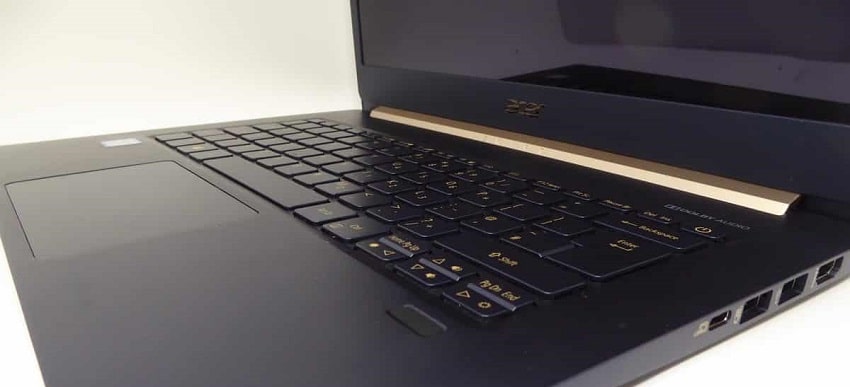
Acer laptops can freeze when the processor overheats or cannot handle too much load. Viruses, adware, and malware infections can also cause the issue. Screen freezing, keyboard freezing, and mouse freezing can be very frustrating. In such cases, a normal shutdown may not work. It is also common to face issues like the computer not turning on. This article explains how to fix an Acer laptop that won’t turn on, freezes, or keeps turning on and off.
Steps to Fix an Acer Laptop That Won’t Turn On, Freezes, or Keeps Restarting
Step 1
Unplug the power cord and remove the battery. Then press and hold the power button for one full minute. After that, reinsert the battery, plug in the charger, and try turning the laptop on again.
Step 2
Repeat the same process. If the laptop turns on without the battery but with the charger, it may indicate a problem with the battery.
Step 3
Remove both the battery and power cable again. Hold the power button for one minute, then reconnect everything and try turning it on. If it works, the issue could be related to power flow or battery performance.
Tip: Sometimes, your system may be working fine, but your browser freezes. You can open Task Manager (Shift + Esc in Chrome/Edge) to check which tab or extension is consuming high resources.
Final Words
These steps may not apply to every situation. Similar symptoms can have different underlying causes. The best way to identify the exact issue is through proper diagnosis using professional tools.
You can bring your computer to our workshop for a detailed check. If faulty parts are found, we replace them with original parts. No appointment is required; you can visit during working hours.
For assistance, contact us at 020 7018 7490 or email contact@pcfixlondon.com
Frequently Asked Questions (FAQs): Troubleshooting Acer Laptop Issues
Q: What could be causing my Acer laptop to freeze or crash?
A: Overheating, software issues, hardware faults, or malware infections can cause freezing. Try updating software, scanning for viruses, and checking system temperature.
Q: How can I troubleshoot my Acer laptop that won’t turn on?
A: Check power supply and battery. Remove external devices, perform a hard reset, and inspect RAM or storage issues.
Q: Why does my Acer laptop shut down shortly after turning on?
A: This may be due to overheating, software problems, or power supply issues. Check cooling system and update software.
Q: How do I fix my Acer laptop that turns on but won’t boot?
A: Try system restore or OS reinstall. Hardware issues like faulty RAM or storage can also cause this.
Q: Why won’t my Acer laptop turn on or charge?
A: It could be due to a faulty adapter, battery, or internal hardware issue.
Q: What can I do if my Acer laptop freezes during use?
A: Update software, scan for malware, and check hardware components.
Q: Can I recover data from a non-working Acer laptop?
A: Yes, by removing the storage device or using professional data recovery services.
Q: Why is my Acer laptop screen black?
A: It may be due to display, GPU, cable, or software issues.
Q: How do I diagnose startup problems?
A: Check power, scan for malware, test RAM/storage, and update software.
Q: Can a bad battery cause repeated restarts?
A: Yes, replacing the battery can resolve the issue.

About Bilal
Bilal Tahir is a certified technician with over 20 years of experience in computer hardware repair and IT services. He holds an NVQ Level 4 qualification in Electronics along with industry recognised certifications including Microsoft Certified Systems Engineer (MCSE, 2006) certification number 8A522B-26C1CX and Cisco Certified Network Associate (CCNA). Bilal began his career as a Network Administrator where he developed strong expertise in managing and maintaining IT systems and networks. Over time, he developed a deep interest in hardware repairs particularly component level diagnostics and repair electronics which led him to specialize in advanced motherboard and device level troubleshooting. He has worked across all major laptop and computer brands providing precise reliable repairs. With a strong technical foundation and hands on experience, Bilal is known for delivering high quality solutions for both individuals and businesses.
Write a Comment