
Laptop Motherboard Repair London — All Brands & Models
Component-level laptop motherboard repair in Kings Cross, London. No fix no fee, and a 12-month warranty on every repair. We fix the fault — chip, capacitor, or connector — instead of writing off the whole board.
Put a Stop to Every Laptop Motherboard Problem You Might Face
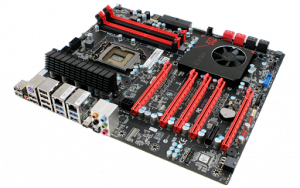
The motherboard is the most integral part of a laptop and must be kept in the best state for the whole system to run smoothly. A faulty or defective laptop motherboard issue can bring down the entire hardware system, even when every other component is perfectly fine.
The motherboard is the central unit of the computer system that allows the RAM, CPU, storage, and every other hardware device to communicate and function correctly. A laptop motherboard problem can affect the whole working of the machine, from Windows boot to basic power delivery.
Motherboards are typically damaged by excess heat, electric shocks, power fluctuations, liquid ingress, or physical stress on the chassis. Below we break down exactly what to look for, why it happens, and why fixing it is almost always smarter than replacing it outright.
Major Laptop Brands Motherboard Repair Service
We repair laptop and MacBook motherboards for every major brand and model — new or discontinued. If it has a motherboard, we can diagnose it. Our expert technicians work from official circuit schematics, not guesswork, to find the exact faulty component and repair it in-house:
- Acer Motherboard Repair
- Alienware Motherboard Repair
- Asus Motherboard Repair
- Clevo Motherboard Repair
- Compaq Motherboard Repair
- Dell Motherboard Repair
Don’t see your brand listed? We work on far more models than we have individual pages for, including MSI, Razer, LG, Medion, Advent, Packard Bell, Chuwi, and custom-built machines. If it has a motherboard, bring it in.
Common Signs Your Laptop Motherboard Is Failing
A failing motherboard rarely gives one clean symptom — it’s usually a combination of small warning signs before the laptop stops working altogether. Here’s what to watch for:
Won’t Power On At All
No lights, no fans, no response to the power button — often the first sign of a motherboard fault rather than a dead battery or charger.
Powers On but No Display
Fans spin and lights come on, but the screen stays black — this points to a fault on the graphics circuitry or a failed power rail rather than the screen itself. Includes dim, distorted, or missing video output entirely.
Overheating & Thermal Shutdowns
A laptop that runs hot, shuts down under load, or throttles heavily can indicate a failing voltage regulator (VRM) or a chip drawing excess current due to an internal fault.
Burning Smell or Scorch Marks
A strong sign of a short circuit or a component — often a capacitor or MOSFET — that has physically failed.
Bulging or Leaking Capacitors
Electrolytic capacitors naturally degrade with heat and age; when they bulge or leak, they can no longer regulate voltage properly, causing instability, random restarts, or failure to boot.
Random Shutdowns, Freezing or Hanging
Often traced to a failing power regulator or a capacitor no longer holding a stable charge under load.
Short Circuit After a Spill or Impact
Liquid ingress or a knock can bridge two points on the board that were never meant to touch, causing an immediate short and, in some cases, cascading component damage if the laptop is powered on afterward.
USB, Charging Port or Wi-Fi Failure
These are often controlled by chips soldered directly to the motherboard — when they fail, the port or feature drops out even though the rest of the laptop works. Includes power jack faults and charging errors.
BIOS Corruption or Boot Loop
Can be caused by a failing BIOS chip on the motherboard itself, separate from a corrupted Windows installation. May show an incorrect product number in BIOS.
Boot Errors & Disk Messages
Messages like “Operating system not found,” “NTLDR missing,” “Windows failed to start,” or disk controller/media test errors can point to a motherboard-level fault rather than a drive problem.
What Actually Causes a Motherboard to Fail
Understanding the cause matters because it changes how we approach the repair. The most common causes we see at our Kings Cross workshop are:
- Heat damage: Poor airflow, blocked vents, and years of dust buildup cause components to run hotter than designed, accelerating wear on solder joints, capacitors, and voltage regulators.
- Capacitor degradation: Electrolytic capacitors dry out over time, especially under heat, and lose their ability to smooth and regulate power delivery — a very common and often inexpensive fix once identified.
- Voltage regulator (VRM) failure: The VRM steps down and stabilises power for the CPU and GPU; when it fails, it can cause instant shutdowns, no-power symptoms, or in severe cases take out neighbouring components.
- Power surges and faulty chargers: An unstable or incompatible charger can send irregular voltage into the board, stressing or destroying components over time.
- Liquid damage and corrosion: Even a small spill can create a short circuit or, worse, cause slow corrosion on the board’s copper traces that only shows symptoms weeks later. See our liquid / water damage repair page for more on this.
- Physical stress and flex damage: Repeated flexing of the chassis (especially thin ultrabooks) can crack solder joints on the board, leading to intermittent faults that come and go with pressure on the case.
- Manufacturing and design defects: Some laptop generations are known for specific recurring faults (certain GPU solder joints, certain VRM designs) that fail predictably after a few years of normal use.
Why Repairing Is Usually Better Than Replacing
Many people assume a motherboard fault means the laptop is finished, or that the only fix is a full motherboard swap. In most cases, neither is true — and a targeted repair is almost always the smarter option:
- Cost-effective: Replacing a single failed capacitor or voltage regulator chip costs a fraction of sourcing and fitting an entire replacement motherboard — especially on higher-end or discontinued models where boards are hard to find or heavily marked up.
- Your data stays exactly where it is: A component-level repair doesn’t touch your storage drive, so there’s no need to back up, wipe, or reinstall anything — your files, settings, and installed software are untouched.
- TPM and encryption keys stay intact: On many modern laptops, TPM (Trusted Platform Module) data and BitLocker encryption keys are tied to the original motherboard. A full motherboard swap can trigger a BitLocker recovery lockout or invalidate TPM-bound credentials, sometimes locking you out of your own drive. Repairing the original board avoids this entirely.
- No compatibility gambling: Replacement boards sourced secondhand aren’t always an exact match for firmware, region, or Wi-Fi certification — a repaired original board guarantees full compatibility, because it’s the one your laptop was built with.
- Faster in many cases: Sourcing a genuine replacement motherboard for an older or less common model can take weeks. Diagnosing and repairing the specific failed component is often quicker.
- Better for the environment: Repairing a board instead of scrapping it for a full replacement means less electronic waste — a small thing, but it adds up.
How Our Engineers Diagnose a Motherboard Fault
This is where component-level repair differs from simply guessing and swapping parts. Our process is methodical:
- Circuit schematics: We work from the laptop’s original board schematics to understand exactly how power and signals are meant to flow — rather than working blind, we know precisely which component should be doing what at each point on the board.
- Thermal imaging camera: Under power, a thermal camera reveals components running hotter than they should — often pinpointing a shorted or failing part in seconds that would otherwise take hours to isolate manually.
- Multimeter and continuity testing: We test voltage rails and check for shorts point-by-point against the schematic to isolate the exact failed component, rather than replacing parts on a guess.
- Microscope-level inspection: Many faults — a hairline crack in a solder joint, a corroded trace, a component with a barely visible defect — are only visible under magnification.
- Hands-on soldering and BGA rework: Once the fault is identified, our technicians use fine-pitch soldering irons and hot air rework stations to remove and replace individual chips, capacitors, or connectors — including chip-level BGA reflow and reballing where needed.
- Systematic fault-finding, not guesswork: We isolate one power rail or subsystem at a time, ruling out working sections until the fault is narrowed to the specific failed component — the same disciplined approach that separates a real repair from an expensive parts-swapping exercise.
Don’t Let a Motherboard Fault Write Off Your Laptop
Before you write your laptop off as “dead” or start pricing up a replacement, bring it in and let us have a proper look. Most motherboard faults look terminal to the untrained eye but are actually a single failed component — and we won’t know which one, or what it costs to fix, until we’ve tested it.
🏆 15+ Years repairing motherboards at the same Kings Cross workshop
⭐ 4.9 Rating on Google Reviews from real customers
⚡ No Fix No fee Gurantee
✅ No Fix, No Fee — if we can’t repair it, you don’t pay
💰 Fixed Price, agreed upfront — no hourly billing or surprises
🛡️ 12-Month Warranty on every motherboard repair
Walk in, no appointment needed. Bring your laptop into Sinclair House, Thanet St, Kings Cross, and one of our engineers can do quick check.
Can’t get to us in person? We also offer UK-wide courier collection and a home visit service for local customers — see the options below.
📞 No Appointment needed walk in — Call
📞 Call Now: 020 7018 7490
Click Here to Message us
Walk-in workshop open 10:00–18:00, Monday to Friday. Same-day diagnosis, subject to workshop volume and parts availability.
Three Easy Ways to Book Your Repair
Drop-In
Bring the laptop into our workshop at Sinclair House, Thanet St, Kings Cross, London WC1H 9PZ. Open 10:00am–6:00pm, Monday to Friday.
Courier Collection
Collection can be arranged anywhere in the UK, with the courier picking up the laptop. Courier charges may apply.
Laptop Motherboard Repair FAQs
Q: How much does laptop motherboard repair cost?
A: Cost depends entirely on which component has failed and how complex the fault is — a single capacitor or connector repair costs far less than chip-level BGA rework. We don’t quote blind: bring your laptop in for a quick check, and we’ll give you an exact, fixed price. No hourly billing, no surprises when you collect it completely no fix no fee.
Q: Is it better to repair or replace a laptop motherboard?
A: In most cases, repair is the better option. A full replacement board can cost several times more than fixing the specific failed component, may not perfectly match your laptop’s original firmware and Wi-Fi certification, and — critically — can trigger a BitLocker or TPM lockout that a like-for-like component repair avoids entirely. We’ll always tell you honestly if replacement genuinely is the better route for your specific model.
Q: How long does a motherboard repair take?
A: Diagnosis is usually done the same day you bring it in. Once we know the fault, most component-level repairs are completed within 1–3 working days, subject to parts availability. More complex chip-level or BGA rework can take a little longer — we’ll give you a realistic timeframe as soon as we’ve diagnosed the board.
Q: Will I lose my data if my motherboard is repaired?
A: No. Motherboard repair works on the board itself, not your hard drive or SSD — your storage is not touched during the repair, so your files, software, and settings remain exactly as they were. This is one of the main advantages of component-level repair over a full board swap.
Q: Do you repair all laptop brands and models?
A: Yes. We repair motherboards for every major brand — Dell, HP, Lenovo, Acer, Asus, Apple MacBook, Toshiba, Samsung, Microsoft Surface, Alienware, Sony Vaio, Compaq, Fujitsu, Panasonic, Packard Bell, Gigabyte, Clevo, Origin PC, Huawei, and more — across both current and older, discontinued models. If your exact brand isn’t listed on this page, bring it in anyway; we service far more models than we have individual pages for.
Q: What warranty do you offer on motherboard repairs?
A: Every motherboard repair we carry out comes with a 12-month warranty, covering the specific fault we repaired.
Q: Is it risky to try fixing a motherboard myself?
A: Yes, unless you already have micro-soldering and board-level diagnostic experience. Motherboard repair involves live voltage rails, delicate surface-mount components, and static-sensitive chips — a mistake can turn a repairable fault into irreversible damage. We offer a no fix on fee policy, so there’s no cost in finding out what’s actually wrong before deciding whether to attempt anything yourself.
Q: What’s the difference between motherboard repair and logic board repair?
A: They’re the same type of work under different names — “motherboard” is the term used for Windows laptops and PCs, while Apple refers to the equivalent component in a MacBook or Mac Mini as a “logic board.” Both are repaired using the same component-level approach: schematics, thermal imaging, and targeted chip or capacitor replacement.
Q: Do you do collection if I can’t get to Kings Cross?
A: Yes. We offer UK-wide courier collection and, for local customers, a home visit service. Call us on 020 7018 7490 or use the contact form to arrange either option.
If you have more queries about our laptop repair and upgrade services, please feel free to connect with us at 020 7018 7490 or e-mail us at contact@pcfixlondon.com.