
MacBook Water Damage? Don’t Panic — We Can Help
Spilled coffee, got caught in the rain, or knocked over a glass of water — it happens to everyone at some point. But getting liquid on your MacBook doesn’t have to be a disaster. At PC Fix London, we specialise in fixing water-damaged MacBooks, and we know these devices inside and out.
Whether it’s a couple of drops or a full spill, bring it to us right away. The quicker we can take a look, the better your chances of a full recovery.
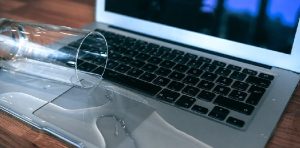
Act Fast: What to Do Right Now
What you do in the first few minutes matters more than almost anything else:
- Power it down immediately. If it’s still running, turn it off and unplug the charger.
- Don’t turn it back on to check if it still works — this can push a fixable fault into a much more serious one.
- Avoid using heat to dry it. Skip the hairdryer, radiator, or oven — heat can push liquid further in or warp components.
- Don’t just leave it to air dry for days. Waiting allows residue to cause corrosion on the logic board — the sooner it’s cleaned out, the better.
- Bring it in as soon as possible. Every hour matters for giving your MacBook the best chance of a full recovery.
➡️ Spilled Something on Your MacBook? Walk in ASAP
Signs Your MacBook Has Water Damage
Water damage can be sneaky and might not show up immediately. Watch for these signs:
- MacBook won’t turn on
- Flickering or completely black screen
- Keyboard or trackpad feels sticky or isn’t working
- Shuts down or restarts on its own for no reason
- A burning smell or the device getting too hot
- Fans running at full speed constantly
- Display glitching or strange sounds from speakers
Our MacBook Water Damage Repair Process
We don’t just dry out your MacBook — we thoroughly check and treat everything underneath:
- Internal Component Cleaning: We carefully clean the logic board, connectors, and any circuits that got wet using specialist tools and cleaning solutions.
- Checking for Damage: We inspect every affected part — keyboard, battery, trackpad, speakers, SSD, and more — for corrosion or failure.
- Replacing Parts if Necessary: Anything that can’t be saved is replaced with a genuine MacBook part.
- Full System Test: We run a complete test to confirm your MacBook is stable, responsive, and safe to use.
We Fix All Types of Liquid Spills
It’s not just plain water — we’ve repaired Macs affected by:
- Coffee
- Tea
- Soft drinks
- Juice
- Wine
- Soup
Each of these affects the internal components differently — sugary or acidic liquids tend to cause more corrosion than plain water — which is why a proper inspection matters more than a quick dry-out.
📞 Every Hour Matters — Call Now
Your Data Stays Our Priority
Liquid damage often affects the logic board, keyboard, or power circuitry — but in most cases, the SSD itself survives untouched. If your storage is affected, our in-house data recovery service can attempt to retrieve your files as part of the same visit.
Why Choose PC Fix London for MacBook Water Damage
- Specialists in liquid-damaged devices, from a few drops to a full spill
- Certified technicians with the right tools and experience for Apple hardware
- Genuine Apple parts used for any replacements
- No Fix, No Fee — if we can’t repair it, you don’t pay
- Pickup and drop-off available across London
- Fast turnaround, often same-day where possible
Visit Us or Book a Collection
Sinclair House, Thanet Street, Kings Cross, London WC1H 9PZ
🕒 Hours: Mon–Fri 10am–6pm | Sat–Sun Closed
Phone: 020 7018 7490 | Email: contact@pcfixlondon.com
MacBook Water Damage Repair — Frequently Asked Questions
Q: What should I do right after I spill water on my MacBook?
A: Turn it off right away, unplug it, and don’t use a hairdryer or any heat to dry it. Bring it to our MacBook water damage repair team as soon as possible to give your device the best chance of recovery.
Q: Can you save a MacBook that’s been damaged by water?
A: In many cases, yes, especially if you act quickly. Our technicians clean and check every affected component, only replacing what’s genuinely necessary, using original MacBook parts for any swaps.
Q: How long will it take to fix my MacBook after water damage?
A: It depends on the severity of the damage, but most water-damaged MacBooks can be assessed and repaired within 1-2 business days. For urgent cases, we’ll try to complete the repair the same day.
Q: What are the signs that my MacBook has liquid damage?
A: Common signs include the MacBook not powering on, a flickering screen, an unresponsive keyboard or trackpad, overheating, or unusual sounds from the fan or speakers.
Q: Will water damage affect my Apple warranty?
A: Yes, Apple’s standard warranty does not cover liquid damage. This makes an independent repair service a practical and cost-effective option for devices that are out of warranty.
Q: Will I lose my files if my MacBook has water damage?
A: Not necessarily. In most cases the SSD survives even when other components are affected. If your storage is damaged, our in-house data recovery service can attempt to retrieve your files.
Q: How much does MacBook water damage repair cost?
A: Cost depends on the extent of the damage and which components need repair or replacement. We provide a complete diagnosis and a fixed quote before any work begins.